
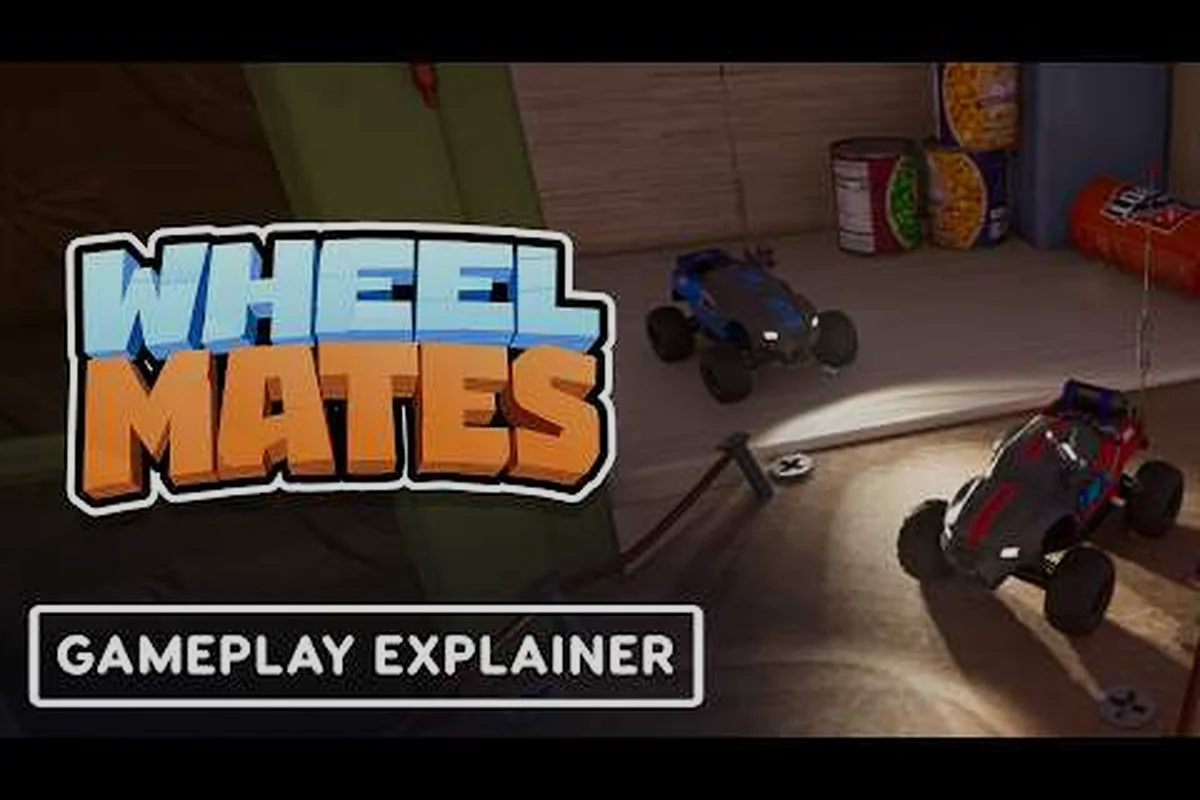
WheelMates puzzle solutions are the heart of Firevolt Studio's two-player RC car co-op adventure, where every corner of the professor's laboratory hides a challenge that demands genuine coordination. If you want to know how to solve puzzles in WheelMates without burning through your friendship, this guide covers every puzzle type, from rope swings to magnetic wheels, with step-by-step strategies you can apply with your partner. The demo, which launched and was pulled on August 3, 2026 ahead of the September 1 full release, already showed players how layered the puzzle design is, and community reports suggest the final game pushes coordination even harder. Because every room is built around two cars working together, these WheelMates puzzle solutions will carry you through the lab's trickiest sections and set you up for the full test.
WheelMates Puzzle Solutions: The Core Co-Op Mechanics
Before you can solve any individual room, you need to understand the three pillars that support every puzzle in WheelMates: Rope Logic, Magnet Grab, and the Magnetic Wheel upgrade. Each mechanic is built on the idea that one car cannot control the room alone, which is why the game forces you to split responsibilities across the two vehicles. The Rope Logic lets one car anchor a rope while the other swings across a gap, while the Magnet Grab gadget pulls objects, crates, or even the partner car across short distances. The Magnetic Wheel is a special tire set that lets a car stick to vertical walls, opening up climbing routes that the other car cannot reach.
According to the official WheelMates website, the game is described as a two-player RC car co-op adventure set in a professor's laboratory, and that framing matters because every puzzle relies on environmental physics rather than arbitrary buttons. You will rarely find a challenge that just asks you to press a switch; instead, you are manipulating the room with weight, speed, and gadget timing. This means the solution order is often more important than the solution itself, because pulling the wrong object first can lock you out of a path. Community players reported during the demo that most rooms have a single intended solution, although a few allow creative shortcuts if you time your Magnet Grab perfectly.
| Puzzle Type | Core Mechanic | Players Required | Difficulty |
|---|---|---|---|
| Rope Swing | One car swings, other holds the rope | 2 | Beginner |
| Magnet Grab | Pull objects or partner car | 2 | Intermediate |
| Magnetic Wheel | Wall climbing and ceiling routes | 2 | Advanced |
| Lever Sequence | Timed switches on both sides | 2 | Advanced |
| Weight Balance | Two cars tilt a platform | 2 | Intermediate |
The Weight Balance puzzles are the most common in the early lab, and they teach you the core rhythm of the game. When one car steps onto a pressure plate, the platform tilts, so the partner has to wait for the tilt to settle before driving across. This is where most new players get stuck, because they rush the second car onto the plate before the first car has locked its position. According to community data, the demo's Rope Room is the first real wall, because a mistimed swing sends the car into a pit and forces a full room reset.
WheelMates Puzzles Guide: Rope Swing and Magnetic Wheel Challenges
Now that the core loop is clear, let's break down the two puzzle families that dominate the middle of the laboratory: the Rope Swing and the Magnetic Wheel rooms. These are the sections where the game stops holding your hand, and the Magnet Grab becomes your most important tool. The rope challenges ask one car to hold a line while the other swings across a gap, and the magnetic challenges ask you to climb walls that the second car cannot reach, which forces a constant exchange of roles.
Rope Swing Timing
The Rope Swing is the first real coordination test in WheelMates, and it appears in the demo's second room. One car grabs the rope and holds it steady, which raises the rope into a swing line, and the second car drives onto the rope and swings across the gap. The catch is that the swinging car cannot control its speed mid-air, so the anchor car must release the rope at the exact moment the swinging car reaches the apex of its arc. If you release too early, the car falls short of the ledge; if you release too late, the car swings back into the wall and drops. Community players consistently point to the apex release as the single most important mechanic in the game, and it is worth practicing in the demo before the full release.
Magnetic Wheel Alignment
The Magnetic Wheel puzzle is more forgiving but requires sharper alignment. When one car activates the magnetic upgrade, it can drive up vertical walls, but only along the marked magnetic stripe. The second car must then use the Magnet Grab to pull the magnetic car around corners, because the magnetic car cannot steer off the stripe on its own. This creates a two-step rhythm: the car drives up the wall, the partner grabs it around the bend, and the car continues up the next segment. The camera can make this tricky, because the wall sections often sit off-screen, and IGN's demo impressions specifically called out camera handling issues during these sections.
The best way to approach the magnetic wheel is to assign one player as the driver and the other as the spotter. The driver focuses on keeping the car on the stripe, while the spotter watches the camera and calls out when to use the Magnet Grab. This same role split carries over to the Lever Sequence puzzles, where the driver moves the car to a switch while the spotter pulls a lever on the far side of the room. If you want to see how these mechanics chain into the hidden-switch and door puzzles that follow, the platforming puzzle guide walks through every secret trigger in order.
WheelMates How to Solve Puzzles: Step-by-Step Walkthrough
This is the core of the guide, because it gives you a repeatable framework for any puzzle you encounter. Rather than memorizing each room individually, you can apply the same five-step method to every challenge, which is the fastest way to learn how to solve puzzles in WheelMates. The framework is simple: observe the room, identify the mechanics, assign roles, execute the sequence, and reset if the timing fails. This method works for the Lever Sequence, the Magnetic Wall, and even the Weight Balance rooms.
The Lever Sequence
The Lever Sequence is a perfect example of the framework in action. In this puzzle, two levers sit on opposite sides of a room, and each lever controls a different platform. The goal is to raise both platforms at the same time so the two cars can cross to the exit. The observation step is easy, because you can see both levers and both platforms from the start. The assignment step is where most players fail, because they try to have both cars pull the levers at once, which causes the platforms to rise and fall out of sync. Instead, you should assign one car to each lever, then count down before pulling both at the same moment.
| Step | Action | Player Role |
|---|---|---|
| 1 | Position both cars at the levers | Driver + Spotter |
| 2 | Count down to the pull | Spotter calls the count |
| 3 | Pull both levers at once | Both players |
| 4 | Cross the raised platforms | Driver goes first |
| 5 | Hold the lever until the partner crosses | Spotter holds |
The platforms only stay open for about three seconds, so the first car must cross immediately after the pull, and the second car must hold its lever until the partner is safely on the exit platform. This is a pure timing challenge, and it is why the game rewards clear communication over raw speed. Community players report that the hardest part is not the lever pull but the coordination, because the two cars are often out of each other's line of sight, so you need to call the count out loud. If you want to see how these lever puzzles fit into the larger route through the lab, the how to beat the house guide covers the hardest sections in order.
Magnet Grab Timing
The Magnet Grab puzzle is the second major test, and it appears in the magnetic wheel rooms. The goal is to pull a crate across a gap so it lands on a pressure plate, which opens a door for the partner car. The timing is precise: you must release the Magnet Grab at the exact moment the crate reaches the edge of the gap, because the crate will slide if you pull too early and overshoot if you pull too late. The best method is to position the car directly across from the crate, then activate the Magnet Grab and release it when the crate is about halfway across the gap.
The release window is roughly half a second, which is tight but learnable with practice. If you miss, the crate either falls into the pit or lands on the wrong side, and you have to reset the room. According to player reports, the Magnet Grab is also used to pull the partner car across gaps, which is a different mechanic entirely because you are moving a car instead of a crate. This is where the Magnet Grab becomes a true co-op tool, because you are not just pulling objects but pulling your partner to safety. The same timing applies whether you are moving a crate or a car, so mastering the release window early will save you a lot of resets later.
WheelMates Two Player Puzzles: Communication and Role Splitting
The hardest part of WheelMates is not the puzzle mechanics but the communication required to execute them. Every room is designed for two players, and the game expects you to split roles, call out timings, and trust your partner's judgment. This is why the two player puzzles are the heart of the experience, and why the game is best played with a friend rather than a random partner. The demo already showed this, because the same-keyboard mode forces both players to share a single keyboard, which makes communication even more critical.
Role Splitting for the Two Player Puzzles
The most effective way to play is to assign one player as the Driver and the other as the Spotter. The Driver controls the car's movement and handles the Rope Swing and Magnetic Wheel mechanics, while the Spotter watches the camera, calls out the Magnet Grab timing, and manages the Lever Sequence. This split is not fixed, because some puzzles require the Spotter to take over the car, but it gives you a clear baseline that works for most rooms. The Driver focuses on the physical movement, while the Spotter focuses on the environmental cues, like the color of the magnetic stripe or the sound of the crate sliding.
| Role | Primary Task | Secondary Task | Best For |
|---|---|---|---|
| Driver | Car movement | Rope Swing | Fast reflexes |
| Spotter | Camera control | Magnet Grab timing | Good planning |
| Switcher | Role swap | Lever pull | Flexible players |
The Switcher role is the most advanced, because it requires both players to swap roles mid-puzzle. This happens in the Magnetic Wheel rooms, where the driver becomes the magnetic car after reaching the wall, and the spotter becomes the driver to pull the car around the corner. This is the hardest part of the game, and it is why the camera sync is so important. IGN's demo impressions noted that the camera can be a problem, because it does not always follow the player, so the spotter has to adjust the view while the driver focuses on the wall.
Camera Sync
The camera sync is the key to the two player puzzles, because both players share a single camera. You cannot look at different parts of the room at the same time, so you have to agree on who controls the view. The best method is to let the Spotter control the camera, because the Driver needs to focus on the car, and the Spotter can keep both cars in frame. This is a subtle skill, but it is the difference between a smooth run and a frustrating one. If you want to plan the fastest path through the lab, the shortcut guide breaks down the best routes for each room.
WheelMates All Puzzles: Collecting the Hidden SD Cards
Beyond the main puzzle solutions, WheelMates hides a collectible layer that rewards thorough exploration. The demo included 18 SD cards scattered across the lab, and the community found 17 of them before the demo was pulled, with the 18th becoming a hot topic on the Steam Community. These SD cards are not just collectibles; they unlock the hidden lab that contains the hardest puzzles in the game. If you want to find all of them, you need to solve the hidden switch puzzles that are tucked into the walls, which are the same triggers covered in the platforming puzzle guide.
The SD cards fall into three categories: visible, hidden, and puzzle-gated. The visible cards are easy to spot, usually sitting on a shelf or a ledge that you can reach with a simple jump. The hidden cards are behind breakable walls or in the corners of rooms, and they require you to use the Magnet Grab to pull a wall panel and reveal the card. The puzzle-gated cards are the hardest, because they sit behind a full puzzle, like the Lever Sequence or the Magnetic Wheel room, and you have to solve the room completely before you can reach the card.
| SD Card | Location | How to Reach | Difficulty |
|---|---|---|---|
| Card 1 | The Rope Room | Visible on a shelf | Easy |
| Card 2 | The Magnetic Room | Hidden behind a crate | Medium |
| Card 3 | The Lever Room | Puzzle-gated | Hard |
| Card 4 | The Lab | Hidden in a corner | Medium |
| Card 5 | The Exit | Puzzle-gated | Hard |
The hidden lab is the most challenging part of the game, because it unlocks the final puzzle that is not in the demo. Community reports suggest that the full game has a secret room that requires all 18 SD cards to open, and it is the hardest puzzle in the entire game. Because the demo was pulled on August 3, 2026, players are waiting for the September 1 full release to see what the hidden lab holds. If you want to be ready for the final challenge, start collecting all the SD cards in the demo, because they will likely carry over to the full release.
Frequently Asked Questions
What is the hardest puzzle in WheelMates?
The Magnetic Wheel room is the hardest puzzle in the demo, because it combines the Magnet Grab timing with the camera sync at the same time. Players report that the Rope Swing is also difficult, but the Magnetic Wheel causes the most resets, because the camera can be a problem during the wall sections.
How do I solve the Lever Sequence puzzle?
The Lever Sequence requires both players to pull the levers at the same time, then cross the platforms within three seconds. The key is to count down before pulling, and to have one player hold the lever until the other crosses. This is the core timing mechanic in the game.
Can I play WheelMates solo?
WheelMates is designed for two players, and the puzzles require both cars to be active at the same time. You can play with the same-keyboard or with separate controllers, but the game is not built for solo play, because the two player puzzles need both cars to move simultaneously.
How many SD cards are in the demo?
The demo has 18 SD cards, and the community found 17 of them before the demo was pulled. The 18th is the hidden one, and it is the hardest to unlock, because it requires a puzzle-gated room that many players missed.